Permalinks may seem like a small setting in WordPress, but they have a long-term impact on SEO, rankings, and user trust. A poorly structured URL can confuse search engines, reduce click-through rates, and make your content look unreliable or outdated.
In this guide, you’ll learn how to set up SEO-friendly permalinks in WordPress, why they matter, what structure works best, and how to avoid common mistakes—whether you’re launching a new website or improving an existing one.
What Are Permalinks in WordPress?
A permalink is the permanent URL assigned to a post, page, category, or tag on your website.
For example:
❌ Non-SEO-friendly permalink: https://example.com/?p=458
✅ SEO-friendly permalink: https://example.com/seo-friendly-permalinks-wordpress/
Search engines and users prefer URLs that clearly explain what the page is about. A clean permalink improves readability, trust, and search visibility.
Why SEO-Friendly Permalinks Matter for Rankings
SEO-friendly permalinks help both users and search engines understand your content instantly.
Key benefits include:
- Better click-through rate (CTR) from search results
- Clear keyword relevance
- Easier crawling and indexing
- Higher trust for users
- Improved link sharing and bookmarking
While permalinks alone won’t guarantee rankings, poor URL structures can limit your SEO performance.
Best Permalink Structure for SEO in WordPress
For most blogs, business websites, and content platforms, the best permalink structure is: /post-name/
Why this works best:
- Keeps URLs short and focused
- Includes main keyword naturally
- Avoids unnecessary numbers or dates
- Works well for evergreen content
This structure is recommended for most WordPress websites, including Techzioo-style blogs.
How to Set Up SEO-Friendly Permalinks in WordPress
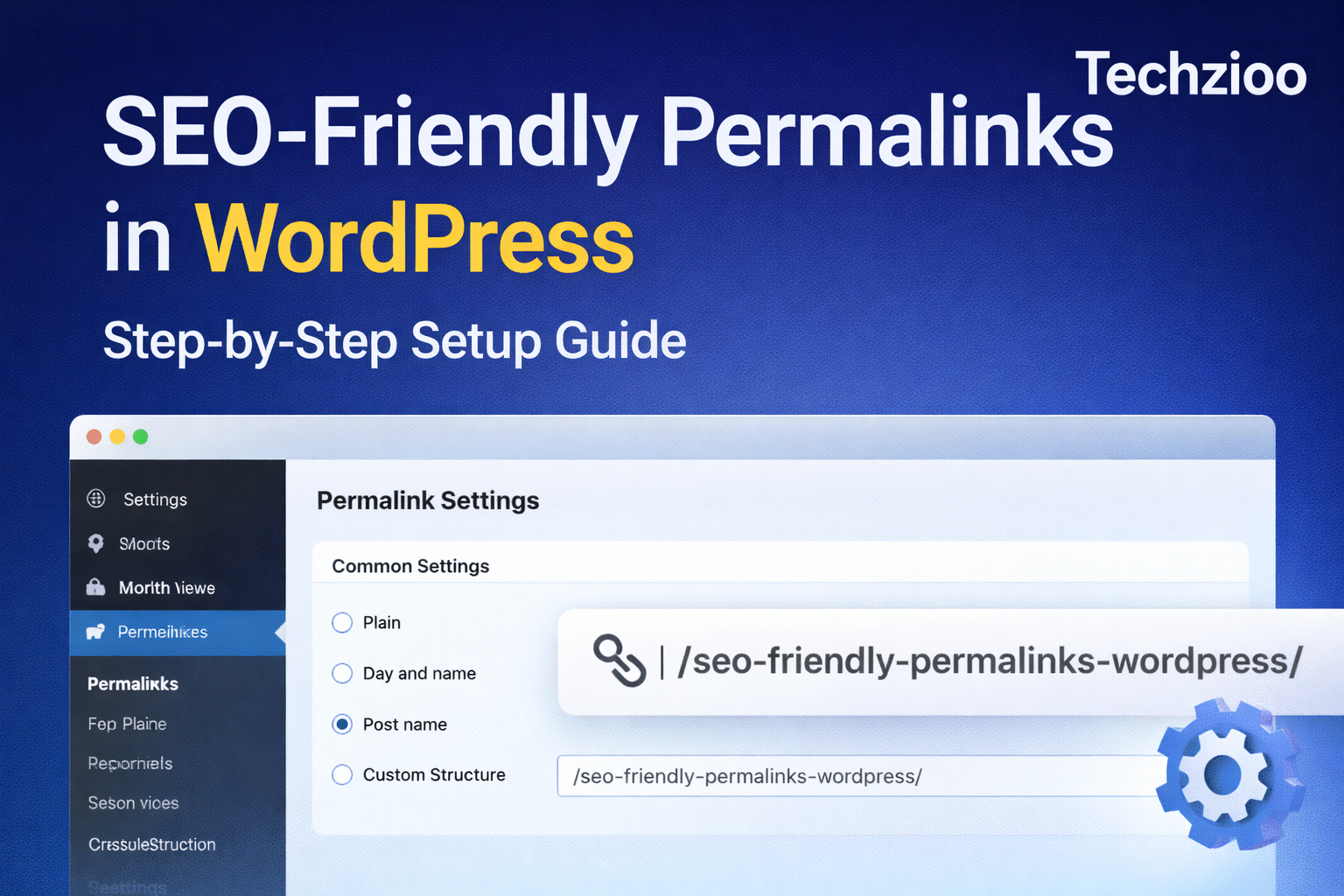
Step 1: Open Permalink Settings
From your WordPress dashboard, go to:
Settings → Permalinks
Step 2: Select the “Post Name” Option
Choose:
✅ Post name
This removes dates, IDs, and unnecessary elements from your URLs.
Click Save Changes to apply the setting.
⚠️ Tip: Do this before publishing content on a new website to avoid future redirects.
Why You Should Avoid Date-Based Permalinks
Date-based permalinks look like this: /2024/12/seo-tips/
Problems with date-based URLs:
- Content looks outdated in search results
- Lower CTR over time
- Not ideal for evergreen topics
- Requires redirects if structure changes later
Unless you run a news-only website, date-based permalinks are not recommended.
How to Optimize Individual Post URLs for SEO
Even with the correct permalink structure, each URL still needs manual optimization.
Best Practices for SEO-Friendly URLs
✔ Use your primary keyword
✔ Keep URLs short and readable
✔ Use lowercase letters only
✔ Separate words using hyphens
✔ Remove unnecessary stop words
Good example: /seo-friendly-permalinks-wordpress/
Bad example: /How_To_Set_Up_The_Best_SEO_Friendly_Permalinks_In_WordPress_2025/
How to Edit Permalink in WordPress Editor
Before publishing a post:
- Add your post title
- Click the URL slug below the title
- Edit it manually
- Keep it keyword-focused
- Publish the post
Once indexed, avoid changing URLs frequently.
SEO-Friendly Permalinks for Pages vs Posts
Posts
- Should include keywords
- Usually evergreen
- Benefit most from optimized slugs
Pages
- Often represent core site sections
- Keep slugs short (e.g., /about/, /contact/)
- Avoid unnecessary words
Consistency across posts and pages improves site structure.
Category and Tag URL Optimization in WordPress
Category URLs
Default structure: /category/seo/
SEO tips:
- Use meaningful category names
- Avoid deep nesting
- Limit the number of categories
Optional:
- Remove /category/ using SEO plugins
- Only if it suits your site structure
Tag URLs
Tags can create duplicate or low-value pages.
Best practice:
- Use tags sparingly
- Noindex tag archives if they add no value
- Avoid creating tags for single posts
Should You Change Permalinks on an Existing Website?
⚠️ Be cautious.
Changing permalinks on a live website can cause:
- 404 error
- Loss of rankings
- Broken backlinks
- Drop in organic traffic
If You Must Change URLs:
- Set up 301 redirects
- Use plugins like Rank Math or Redirection
- Test all important URLs after changes
Never change permalinks without a proper redirect strategy.
Common SEO Permalink Mistakes to Avoid
❌ Using capital letters
❌ Keyword stuffing URLs
❌ Changing URLs multiple times
❌ Leaving default numeric URLs
❌ Ignoring redirects after changes
A clean and stable permalink structure builds long-term SEO trust.
How Permalinks Affect Crawling and Indexing
Search engines use URLs to:
- Understand content context
- Discover related pages
- Allocate crawl budget efficiently
SEO-friendly permalinks improve:
- Crawl efficiency
- Indexing accuracy
- Overall site quality signals
Final Checklist for SEO-Friendly Permalinks
✔ Use post-name structure
✔ Optimize URL slugs manually
✔ Avoid date-based URLs
✔ Keep URLs short and consistent
✔ Use hyphens instead of underscores
✔ Set 301 redirects when changing URLs
✔ Review permalink strategy early
Final Thoughts
Setting up SEO-friendly permalinks in WordPress is a foundational SEO step that affects your website for years. Once configured correctly, it improves usability, trust, and organic visibility without ongoing effort.
If you want sustainable SEO growth, start with the right permalink structure and stick to it.
Frequently Asked Questions
What is the best permalink structure for SEO?
The post-name structure is best for most WordPress websites because it’s clean, readable, and keyword-friendly.
Can I change permalinks after publishing?
Yes, but only if you use proper 301 redirects. Otherwise, you may lose traffic and rankings.
Do keywords in URLs help SEO?
Yes. Keywords in URLs help search engines understand page relevance and improve CTR.
Are shorter URLs better for SEO?
In most cases, yes. Shorter URLs are easier to read, share, and crawl.
Should I remove stop words from URLs?
Yes. Removing words like “and,” “the,” and “of” keeps URLs clean and focused.